
POS System for Small Business: The 2026 Strategic Evaluation Guide
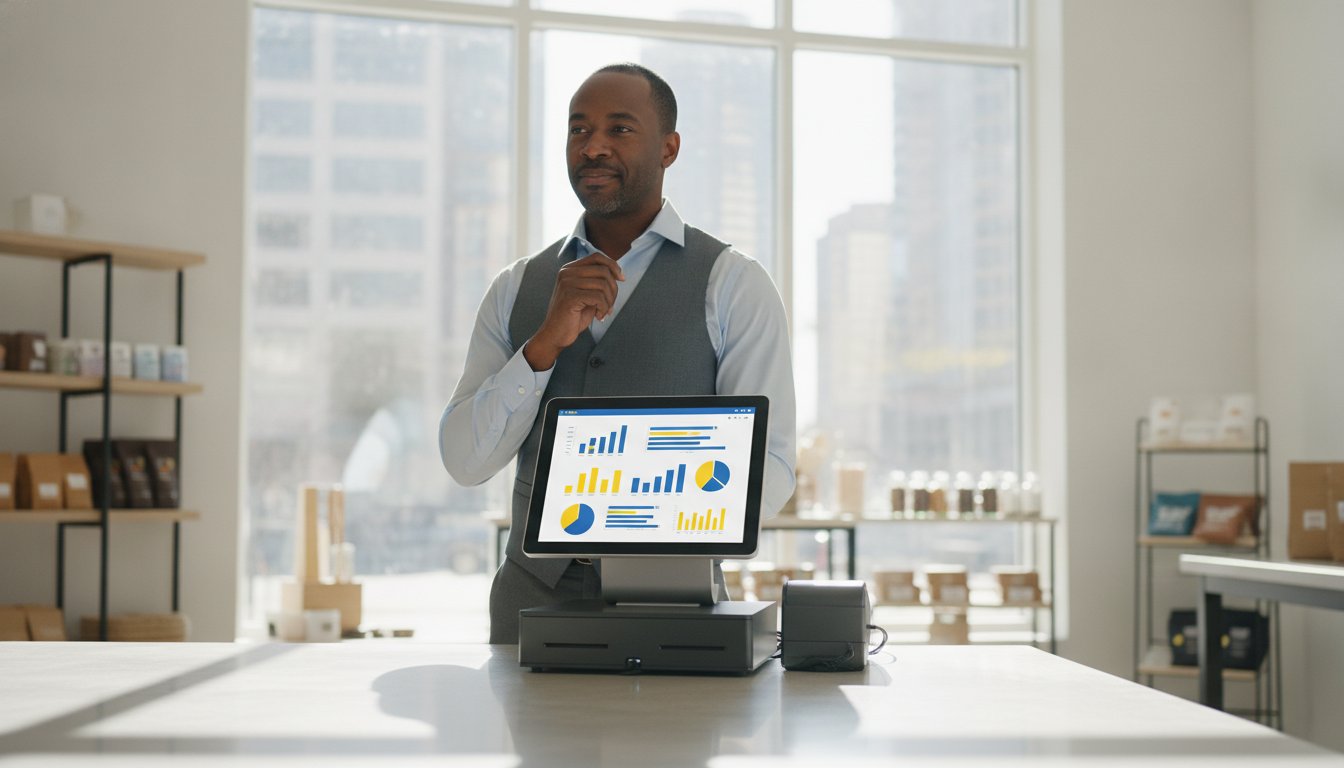
Did you know that many merchants find their total implementation costs are over 72% higher than the initial vendor quote? In 2026, choosing a POS system for small business is no longer just about picking a card reader. It's about identifying a financial command center that stops hidden fees from draining your hard-earned revenue.
You probably feel the sting of seeing processing fees eat into your margins while manual data entry between your POS and QuickBooks steals your Sunday afternoons. It's frustrating when delayed deposits put a chokehold on your cash flow. You deserve a partner who defends your resources rather than complicating them.
This guide will help you master the complexities of modern technology to lower your monthly overhead and reclaim your time. We promise to show you how to achieve next-day access to your funds and a seamless sync with your accounting software. We're stripping away the jargon to give you the clarity you need to make an informed, strategic choice.
We'll preview the impact of the Credit Card Competition Act of 2026 and the now-mandatory PCI DSS 4.0 requirements. By the end of this evaluation, you'll have a roadmap to a more efficient, profitable, and secure checkout experience.
Key Takeaways
- Understand why a modern POS system for small business must act as an integrated financial command center, connecting your hardware, software, and payment processing into one ecosystem.
- Identify and eliminate "junk fees" by learning the difference between flat-rate and interchange-plus pricing models to lower your monthly overhead.
- Streamline your back-office operations by automating the data sync between your sales terminal and QuickBooks, removing the need for manual entry and reducing accounting errors.
- Boost your daily cash flow by switching to a provider that offers next-day deposits and a concierge-style support model tailored to your specific operational needs.
What is a POS System for Small Business in 2026?
In 2026, your checkout counter is no longer just a place where money changes hands. It's the nerve center of your entire operation. When business owners ask What is a POS System, they are often searching for a way to simplify their daily chaos. A modern POS system for small business is an integrated ecosystem that combines hardware, software, and payment processing into one fluid workflow. It has evolved from a simple tool for recording transactions into a sophisticated, data-driven management engine that helps you make better decisions.
The biggest shift we've seen is the move toward cloud-based connectivity. You aren't tethered to a back-office desk anymore. If you want to check your sales margins while you're at home or manage inventory from a different location, you can do it instantly from your phone. This creates a "Financial Command Center" that gives you total oversight of your business health without requiring your physical presence every hour of the day. It's about having the freedom to lead your team while the technology handles the administrative heavy lifting.
The Three Pillars of a Modern POS
To evaluate a system properly, you have to look at the three components that make it function. If one pillar is weak, the whole structure fails your business.
- Hardware: This includes the physical touchpoints like sleek countertop terminals, mobile handhelds for floor sales, and kitchen display systems (KDS) that keep your back-of-house organized and paper-free.
- Software: This is the brain of the system. It handles real-time inventory tracking across multiple channels, automates employee scheduling, and manages customer loyalty programs to keep your fans coming back.
- Payment Processing: This is the engine that converts a customer's tap or swipe into a liquid bank deposit. It's the most critical technical relationship you'll have, as it determines your speed of funding and your overall monthly overhead.
Why Your Choice Impacts Your Bottom Line
Your choice of system dictates your daily rhythm. If your hardware is sluggish or your software is counterintuitive, you'll see longer lines and frustrated staff. High-efficiency systems increase your throughput, allowing you to serve more customers during peak hours. This directly impacts your revenue potential and customer satisfaction scores.
Be wary of the "free" software trap. Many big-tech providers offer zero-cost software but lock you into predatory processing rates that bleed your margins dry over time. A POS system for small business serves as the primary data bridge between your front-end sales and your back-end accounting, ensuring every transaction flows directly into your books without manual intervention. If you choose a system that builds this bridge correctly, you'll reclaim your time and protect your profits from unnecessary leakages.
Critical Features to Evaluate Before You Buy
LIQUIDITY AND DEPOSIT SPEED
Why should you wait for your own money? Standard settlement timelines in the industry often keep your funds locked up for 2 to 3 days. For a growing business, this delay creates a needless chokehold on your cash flow. Next-day deposits are now a non-negotiable requirement for maintaining healthy liquidity. When you have immediate access to your funds, you can pay vendors and cover payroll without the stress of floating expenses. If your current provider can't offer this speed, they aren't prioritizing your operational health. You deserve a partner who understands that cash flow is the lifeblood of your craft.
PAYMENT FLEXIBILITY: CC, ACH, AND BEYOND
Your customers expect a frictionless checkout. Your system must handle contactless taps, chip inserts, and ACH payments with equal ease. While credit cards remain the standard for retail, ACH is becoming a vital tool for B2B and service-based businesses looking to reduce their monthly overhead. Are you tired of high swipe fees? Learning how to lower merchant fees is the first step toward reclaiming your hard-earned margins.
As you evaluate your options, remember that the most expensive system is the one that doesn't grow with you. If you want a partner who acts as a defender of your resources, exploring custom-tailored processing solutions can provide the clarity and relief you've been looking for. Don't settle for a one-size-fits-all approach when your business has unique needs. The goal is to move away from a mere transaction and toward a long-term professional relationship that simplifies your life.
The True Cost of a POS: Decoding Fees and Contracts
The sticker price of a POS system for small business is rarely the number that actually hits your bank account. While software subscriptions might look affordable, the real cost lies in the transaction fees and contract terms buried in the fine print. You have to decide between flat-rate and interchange-plus pricing models. Flat-rate looks simple, but it often charges you a premium for convenience. Interchange-plus is generally the more transparent choice; it passes the direct cost from the card networks to you with a small, visible markup. If you're processing a significant volume, that transparency can save you thousands of dollars every year.
THE HIDDEN FEE AUDIT
Have you looked at your merchant statement lately? Many providers hide "junk fees" that provide no value to your business. You might find statement fees, gateway fees, or even PCI non-compliance fees that could've been avoided with better support. A "low" monthly software fee is often a lure to trap you into high transaction costs that eat your margins. Before you sign anything, ask for a full breakdown of every possible charge. You should calculate your "Effective Rate" by dividing your total monthly fees by your total sales volume. This single number tells you exactly what you're paying, allowing you to cut through the marketing noise and see the truth.
CONTRACT FLEXIBILITY
Don't let a provider lock you into a multi-year cage. Long-term hardware leases are a notorious trap; they often end up costing three times the actual value of the equipment. It's almost always better to own your hardware outright, especially when you can find a partner who provides equipment at cost to keep your overhead predictable. You should also watch out for liquidated damage clauses that penalize you for wanting to leave. The lowest transaction fee is useless if it comes with a high monthly service charge. By choosing month-to-month merchant service agreements, you keep the leverage in your hands. This flexibility forces your provider to earn your business every single day through high-quality service and competitive rates. We believe in being a defender of your resources, which is why we advocate for total transparency in every agreement.

How to Integrate Your POS with Back-Office Workflows
Manual data entry is a silent drain on your professional energy. Every hour you spend typing sales figures into a spreadsheet is an hour you aren't spending on your craft or your customers. Beyond the time lost, manual entry is prone to human error; a single misplaced decimal can lead to hours of forensic accounting later. When your POS system for small business is properly configured, it removes this friction by acting as a direct bridge to your financial records. It transforms a stack of receipts into a clean, organized digital ledger while you sleep.
The goal is to automate the daily sales sync to QuickBooks or Xero. This isn't just about total revenue; it's about detail. A high-quality integration pushes data regarding sales tax, discounts, and category-level reporting directly into your accounting software. It also connects your sales data to your payroll. If your team earns tips or commissions, an integrated system tracks these variables in real time, ensuring your payroll is accurate and compliant without a single manual calculation. Exploring all in one business financial solutions can show you how these workflows turn chaotic administrative tasks into a streamlined growth engine.
Step-by-Step: Evaluating Integration Quality
Not all integrations are created equal. Some providers claim to "sync" with accounting software but only offer a manual CSV export. This is just manual entry with extra steps. When you evaluate a POS system for small business, you should look for these three technical hallmarks:
- Direct API Connections: Ensure the software speaks directly to QuickBooks or Xero without requiring you to download and upload files.
- Tax and Discount Accuracy: Verify if the system maps sales tax and promotional discounts to the correct accounts in your ledger; otherwise, your year-end reporting will be a nightmare.
- Version Compatibility: Confirm the integration supports your specific version, whether you use QuickBooks Online or a desktop-based solution.
The Role of Bookkeeping and Payroll
Integrated financial solutions do more than just save time; they provide clarity. By automating the data flow, you reduce the administrative burden on yourself and your staff. This setup makes year-end tax preparation a non-event because your books are already reconciled on a daily basis. You can walk into tax season with confidence, knowing your data is accurate and your filings will be straightforward. If you're ready to stop fighting with spreadsheets and start focusing on your business, it's time to modernize your back-office workflow with a partner who handles the heavy lifting for you. We take pride in making the complicated feel manageable, allowing you to reclaim your time and your peace of mind.
Why LyrxPay is the Strategic POS Choice for SMBs
Big tech processors often treat you like a data point in a massive database. They ship you a device and leave you to navigate the complex web of merchant statements and software settings on your own. We take a different path. LyrxPay positions itself as a low-fee alternative to those massive corporations, offering a POS system for small business that prioritizes your profitability over a corporate stock price. We've done the heavy lifting so you don't have to, acting as a defender of your time and resources.
Our persona is that of an authoritative yet friendly guide. We don't just offer a transaction; we build a long-term professional relationship. By combining hardware, processing, and accounting support, we remove the obstacles that prevent you from focusing on your craft. Why settle for a clinical, one-size-fits-all service when you can have a partner who anticipates your operational needs?
LOWER FEES, BETTER LIQUIDITY
We believe in total transparency. That means identifying and removing the junk fees that clutter your statements and drain your margins. Our commitment to your operational health is reflected in our next-day deposit promise. While other processors might hold your funds for days, we ensure your revenue is available to you almost immediately. This liquidity keeps your business moving forward, allowing you to seize opportunities without waiting for a bank settlement. For specialized environments like professional offices, we offer tailored solutions; you can explore the details in our guide on merchant services for medical offices.
EXPERT SETUP AND INTEGRATION
Most providers stop at the hardware. We don't. We act as a reliable ally by helping you integrate your entire financial workflow from day one. Our team provides expert guidance on QuickBooks and Xero setup, ensuring your bookkeeping is stress-free and accurate. If your current POS system for small business feels like an administrative burden, our concierge approach offers the relief you've been looking for. We don't just sell tools; we offer managed care for your administrative tasks. You can explore more about optimizing your cash flow by checking out our business liquidity management tools.
Choosing a point-of-sale partner shouldn't be a gamble. It should be a strategic decision that defends your resources. By choosing a partner who understands the bridge between sales and accounting, you reclaim your time and protect your profits. We're ready to help you transition from a state of curiosity to a state of total confidence in your business health.
SECURE YOUR OPERATIONAL FREEDOM
You've seen how the right technology acts as a defender of your time and resources. By decoding the hidden fees in merchant statements and prioritizing a seamless sync with your accounting software, you transition from a state of administrative stress to a state of total clarity. A modern POS system for small business shouldn't just record sales; it must optimize your entire financial workflow so you can focus on the craft you love. Success in 2026 requires a partner who understands that liquidity is your lifeblood.
Whether it's through next-day deposits or eliminating manual data entry, the goal is to make the complicated feel manageable. You don't have to navigate these technical waters alone. Are you ready to stop letting big-tech processors dictate your margins? It's time to choose a concierge-style relationship that puts your business health first.
Stop overpaying for your POS and processing; get a free LyrxPay consultation today! We provide next-day deposits, seamless QuickBooks and Xero integration, and lower transaction fees than national competitors. You've done the hard work of building your business; let us help you protect it and grow with confidence.
Frequently Asked Questions
How much does a POS system for a small business typically cost?
Total costs depend on your hardware needs and software complexity. You should evaluate the total cost of ownership, which includes hardware terminals, monthly software subscriptions, and transaction processing fees. Since processing fees often represent the largest recurring expense, finding a provider with transparent rates is more important than the initial hardware sticker price.
What is the difference between a POS system and a merchant account?
A POS system is the interface you use to ring up sales, while a merchant account is the financial pipeline that allows you to accept credit card payments. You need both to operate. Some providers bundle these together, but using a partner that customizes the processing relationship can often lead to lower fees and more attentive support.
Can I use my existing iPad or tablet as a POS terminal?
You can absolutely use an existing iPad or tablet as a POS system for small business terminal. Most modern cloud-based software is designed to run on consumer tablets, which can save you significant upfront hardware costs. You'll just need to ensure your software is compatible and that you have a secure, encrypted card reader that connects via Bluetooth or the charging port.
How do I switch POS providers without losing my sales data?
Switching providers requires exporting your inventory and customer lists into a compatible format, usually a CSV file. Most professional providers will assist you with this migration to ensure you don't lose your historical records. It's best to schedule the switch during a slow period and coordinate with your new partner to verify that all data has been successfully imported.
What features are most important for a retail POS vs. a restaurant POS?
Retail systems prioritize real-time inventory tracking and customer loyalty data, while restaurant systems focus on order modifiers and kitchen communication. If you run a retail shop, you need a system that handles thousands of SKUs across multiple channels. If you manage a restaurant, look for features like tableside ordering and kitchen display system integration to keep your staff synchronized.
Is it better to buy or lease POS hardware?
Buying your hardware is almost always the more strategic choice for your bottom line. Leasing often involves long-term contracts with high interest rates and "liquidated damage" clauses that make it nearly impossible to switch providers. When you own your equipment, you have the flexibility to move to a better service if your current provider stops earning your business.
How does POS integration with QuickBooks actually work?
Integration works through a direct API connection that maps your daily sales totals, taxes, and tips directly to your chart of accounts. Instead of manual data entry, the POS system for small business pushes a summary or detailed transaction report to QuickBooks at the end of each day. This ensures your books are always reconciled and reduces the time your accountant spends on forensic bookkeeping.
What security standards (like PCI compliance) should I look for?
You must ensure your system is fully compliant with PCI DSS 4.0 standards, which became mandatory for all merchants in March 2025. Look for providers that offer end-to-end encryption and point-to-point encryption. These security measures protect your customers' sensitive data and shield your business from the devastating financial penalties associated with a data breach.